Configuration
All the configuration is made in Lime Admin, under Settings -> Softphone Connector.
Limetypes to Search
Select the Limetypes that should be searched for matches on incoming calls. The order of the Limetypes defines the priority to find matches on. Common Limetypes to consider are Person, Company, and Coworker.
Properties and Match Types
For each Limetype, you must configure a list of properties to match the incoming number against. Each property can use one of three match types:
Match Types
- Phone: Normalizes phone numbers by stripping country codes and formatting. Use this for standard phone number fields where calls come in with varying country code prefixes.
- Registration/Personal Number: Can be configured to remove specific characters based on a regular expression. Per default, it removes dashes and spaces. Use this for registration numbers, personal identification numbers, or other formatted numeric identifiers, that might be entered with different separators, but stored in the same way in Lime.
- Exact Match: URL-decodes and matches the number exactly as provided. Use this for precise matching without normalization or formatting adjustments.
Examples
Basic Phone Number Matching
The following configuration will first search the person Limetype for matches using phone normalization, and if none are found, search the Limetype company. Both use the Phone match type.
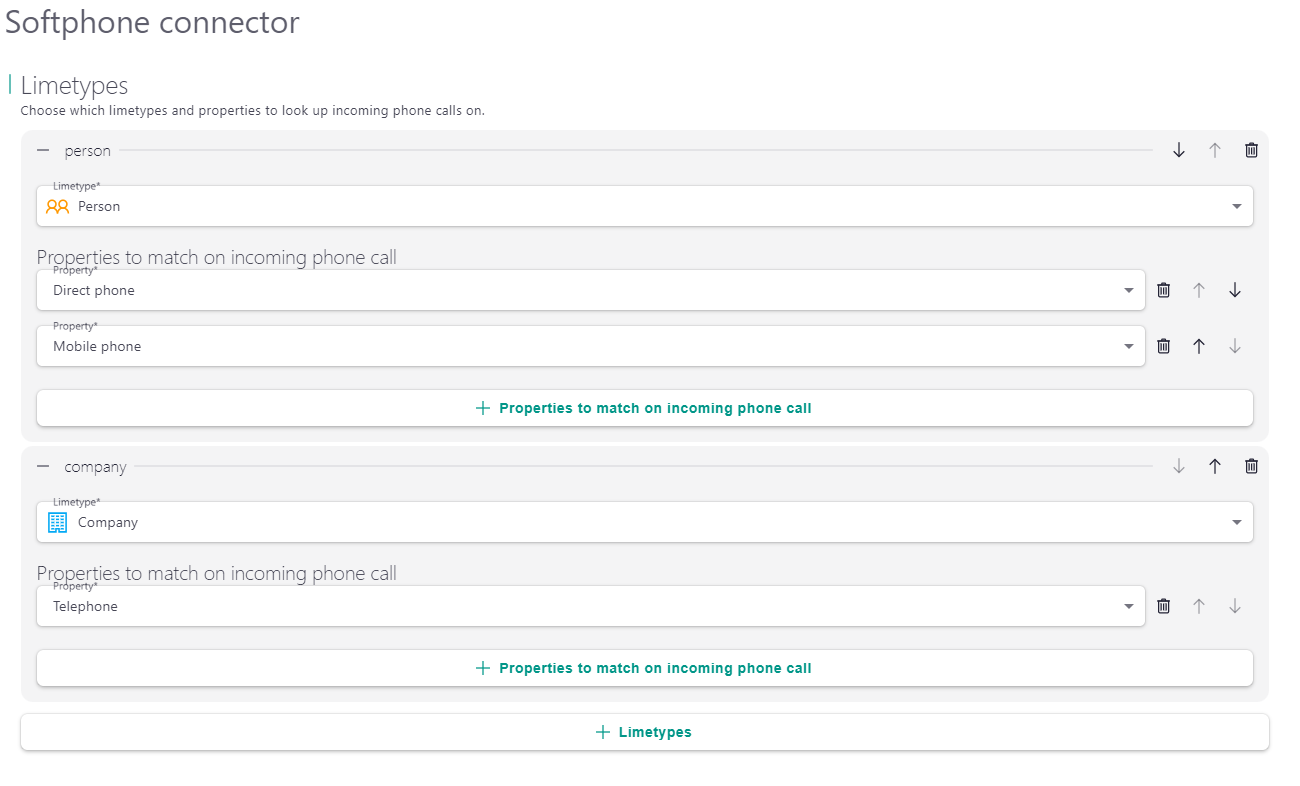
{
    "limetypes": [
        {
            "limetype": "person",
            "properties": [
                {
                    "property": "phone",
                    "match_type": "phone"
                },
                {
                    "property": "mobilephone",
                    "match_type": "phone"
                }
            ]
        },
        {
            "limetype": "company",
            "properties": [
                {
                    "property": "phone",
                    "match_type": "phone"
                }
            ]
        }
    ]
}
Mixed Match Types
This configuration combines different match types to support multiple identifier formats:
{
    "limetypes": [
        {
            "limetype": "company",
            "properties": [
                {
                    "property": "phone",
                    "match_type": "phone"
                },
                {
                    "property": "registrationno",
                    "match_type": "registration_no"
                }
            ]
        }
    ]
}
Exact Match Configuration
Use exact matching when you need precise matching without any normalization:
{
    "limetypes": [
        {
            "limetype": "company",
            "properties": [
                {
                    "property": "identifier",
                    "match_type": "exact_match"
                }
            ]
        }
    ]
}